
The Hidden Overhead of Kubernetes for Small Engineering Teams
Kubernetes has become the default answer to container orchestration. When senior engineers discuss deployment strategies, the conversation often gravitates toward K8s as though it were the only serious option. For large organizations with dedicated platform teams, this makes sense. For small engineering teams — say, under fifteen people — the calculus changes dramatically.
The hidden overhead isn’t just operational complexity. It’s the cognitive load that bleeds into every sprint, the opportunity cost of maintaining infrastructure instead of shipping features, and the subtle ways K8s expertise becomes a hiring constraint. Let’s examine what this really costs.
The Expertise Tax
Running Kubernetes properly requires deep knowledge across multiple domains: networking (CNI plugins, service meshes, ingress controllers), storage (persistent volumes, storage classes, CSI drivers), security (RBAC, pod security policies, secrets management), and observability (metrics pipelines, log aggregation, distributed tracing).
For a team of eight engineers, dedicating even one person to becoming the “Kubernetes expert” represents 12.5% of your engineering capacity. In practice, you’ll need at least two people with meaningful K8s knowledge to avoid single points of failure — now you’re at 25% of your team maintaining foundational knowledge that doesn’t directly advance your product.
Compare this to managed services like AWS ECS, Google Cloud Run, or even a well-configured set of VMs with Docker Compose. The learning curve is shallower, the documentation is more approachable, and the operational burden shifts substantially to your cloud provider.
The expertise tax compounds during hiring. “Must have production Kubernetes experience” filters out capable engineers who’ve worked with simpler deployment models. You’re competing for the same talent pool as Google, Spotify, and well-funded Series C startups — all of whom can offer more interesting K8s challenges and better compensation.
The Incident Response Burden
When something breaks in Kubernetes, the debugging surface area is enormous. A simple “my application isn’t responding” could stem from dozens of causes: pod scheduling failures, resource limits, network policies, ingress misconfiguration, DNS resolution issues, liveness probe failures, or actual application bugs.
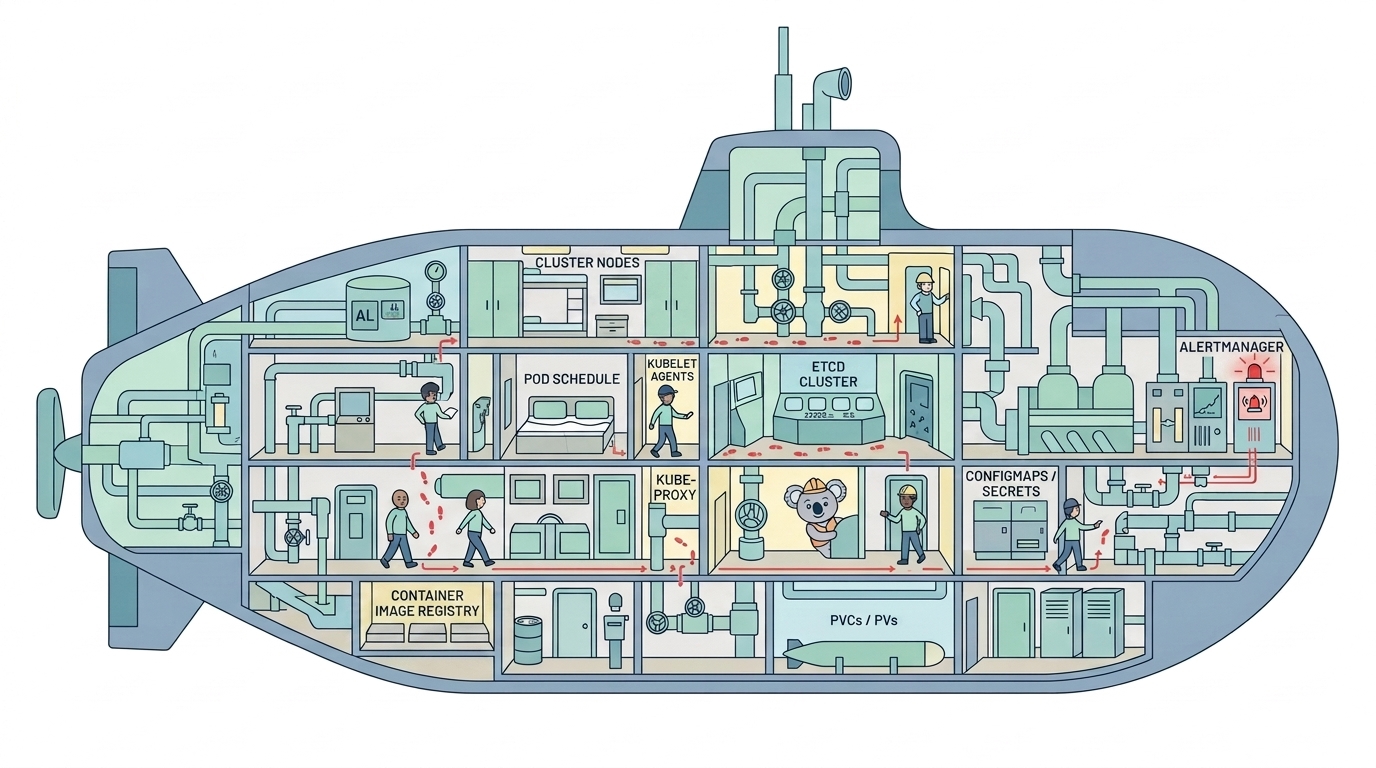
Small teams rarely have the luxury of dedicated on-call rotations. When your Kubernetes cluster misbehaves at 2 AM, the engineer who responds needs enough context to distinguish between cluster-level issues and application-level issues. This means everyone needs baseline K8s knowledge, not just your designated experts.
I’ve watched capable engineers spend hours debugging what turned out to be a misconfigured HorizontalPodAutoscaler, when the equivalent problem on a simpler platform would have been diagnosed in minutes. The abstraction layers that make K8s powerful also obscure root causes.
The incident response burden isn’t hypothetical. It’s measurable in mean-time-to-recovery, in the cognitive overhead engineers carry knowing they might face a cluster debugging session, and in the documentation burden required to make runbooks actually useful.
The Configuration Sprawl Problem
A modest Kubernetes deployment for a single service might require: a Deployment manifest, a Service definition, an Ingress resource, ConfigMaps, Secrets, a ServiceAccount, RBAC rules, NetworkPolicies, and a HorizontalPodAutoscaler. That’s nine YAML files for one microservice, each with its own syntax quirks and implicit dependencies.
Multiply this across ten services, add environment-specific variations (development, staging, production), and you’re managing hundreds of configuration files. Tools like Helm and Kustomize help, but they introduce their own complexity. Helm charts have a learning curve, templating limitations, and versioning considerations. Kustomize overlays can become deeply nested and difficult to reason about.
Configuration sprawl creates several second-order problems:
Review fatigue: Pull requests touching infrastructure config require specialized review. If only two people truly understand your Helm charts, they become bottlenecks for every infrastructure change.
Drift and inconsistency: Without rigorous GitOps practices, manual kubectl apply commands create state that diverges from your repository. Detecting and reconciling drift becomes another maintenance task.
Upgrade anxiety: Kubernetes releases new minor versions roughly every four months. Each upgrade potentially breaks existing manifests, deprecates APIs, and requires testing across your entire configuration surface. Staying current is work; falling behind accumulates technical debt.
The Cost of Over-Engineering
Small teams often adopt Kubernetes because they anticipate scale that may never materialize. “We’ll need this when we hit 100,000 users” is compelling reasoning until you realize that reaching 100,000 users requires shipping features, not maintaining infrastructure.
The honest assessment: most applications from small teams could run comfortably on a single well-provisioned VM with a load balancer. Vertical scaling remains viable longer than the Kubernetes-first mindset suggests. A 64-core server with 256GB RAM handles remarkable workloads, costs less than a multi-node K8s cluster, and requires a fraction of the operational attention.
This isn’t an argument against ever using Kubernetes. It’s an argument for matching infrastructure complexity to actual requirements rather than projected requirements.
Consider the decision framework: if your team spends more than 10% of engineering time on infrastructure maintenance, and your scale doesn’t genuinely demand Kubernetes’ capabilities (automatic bin-packing, self-healing, rolling deployments across dozens of nodes), you’re likely paying the overhead without capturing the benefits.
When Kubernetes Actually Makes Sense
To be fair, there are scenarios where Kubernetes justifies its complexity even for small teams:
- Multi-tenancy requirements: If you’re running customer workloads in isolated environments, K8s namespaces and resource quotas provide meaningful isolation primitives.
- Hybrid/multi-cloud mandates: If business requirements force you across cloud providers, Kubernetes provides genuine portability value.
- Specialized workloads: ML training jobs, batch processing, or stateful distributed systems benefit from K8s operators and scheduling capabilities.
The distinction matters: adopting Kubernetes because it solves a specific problem you actually have is different from adopting it because it’s perceived as the sophisticated choice.
Practical Alternatives Worth Considering
For teams reconsidering their Kubernetes investment, several alternatives deserve evaluation:
Managed container services (ECS, Cloud Run, Azure Container Apps) handle orchestration at the platform level. You define your containers and scaling rules; they manage the cluster.
Platform-as-a-Service (Render, Railway, Fly.io) abstracts further, letting you deploy from Dockerfiles or source code with minimal configuration.
Simple VM deployments with Docker Compose, Ansible, and a load balancer remain viable for many workloads. The tooling is mature, the failure modes are well-understood, and the operational burden is proportional to actual complexity.

The right choice depends on your constraints: team expertise, scale requirements, compliance obligations, and how much infrastructure work you’re willing to own versus delegate.
Making the Decision
The path forward requires honest assessment. Audit where your engineering time actually goes. If Kubernetes maintenance, debugging, and configuration management consume disproportionate hours relative to the value delivered, migration to simpler alternatives may accelerate your team more than any other architectural change.
Small teams succeed by making focused bets, not by maintaining enterprise-grade infrastructure for startup-scale problems. Sometimes the most sophisticated engineering decision is choosing the boring, simple option that lets you ship.